About workgroups
A workgroup is the project boundary in TigerGraph Savanna. It groups the workspaces and databases that belong to one team, use case, or application, and it is where you set access and network rules for that boundary.
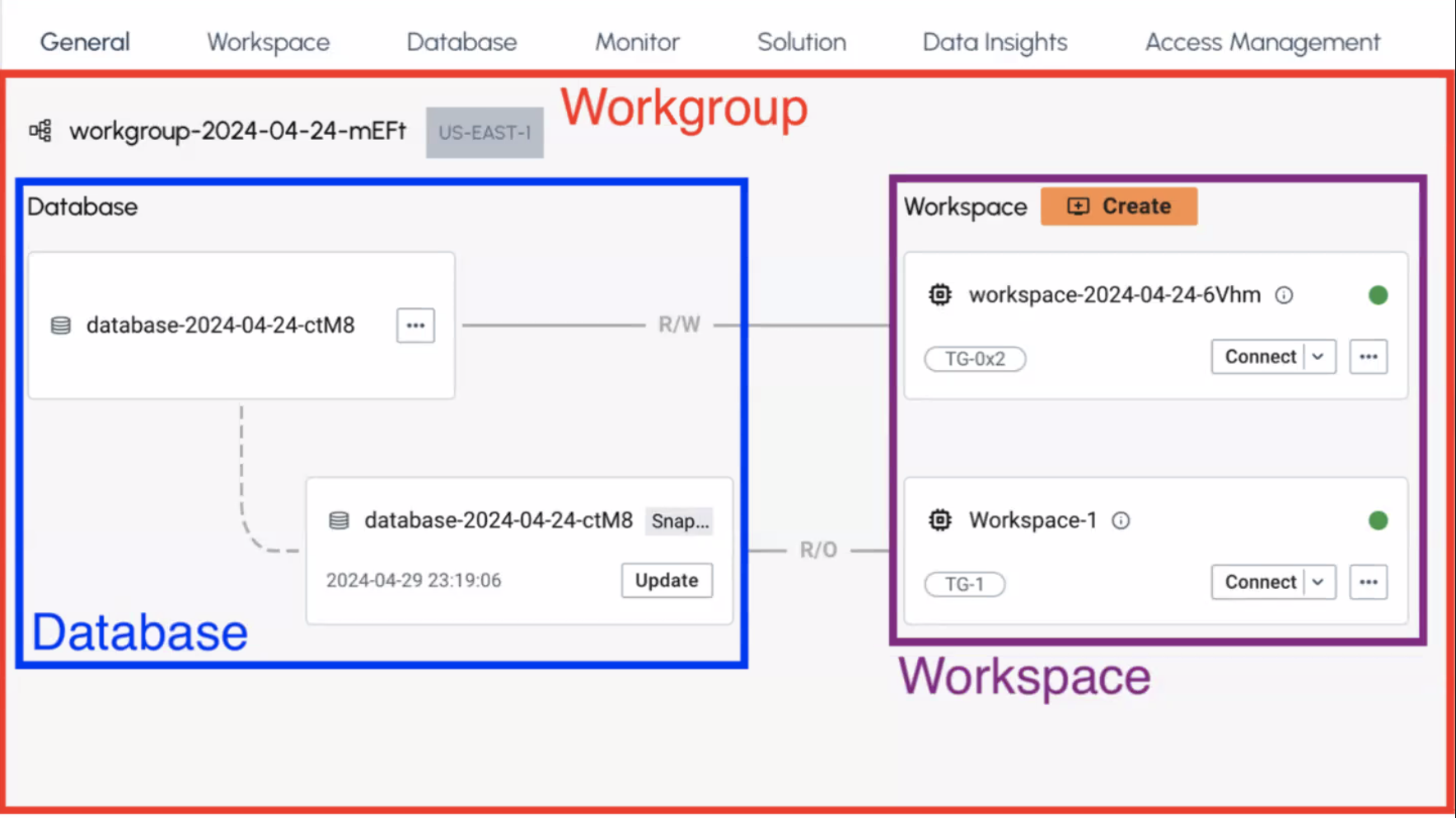
What lives in a workgroup
-
Workspaces, which are the compute you attach to a database for loading, querying, and analytics.
-
Databases, which hold the persistent graph data those workspaces connect to.
-
Access and network settings that apply across the workspaces inside the workgroup.
A workgroup does not run queries itself. It organizes the resources that do.
Why use a workgroup
Savanna creates your first workgroup (and a workspace inside it) when you register. Add another workgroup when you want a second project, team, or environment, so access, regions, and resources stay separated.
Creating a workgroup is a two-step wizard: you name the workgroup, then you create its first workspace.
|
Name the workgroup after the project or team it serves, such as |